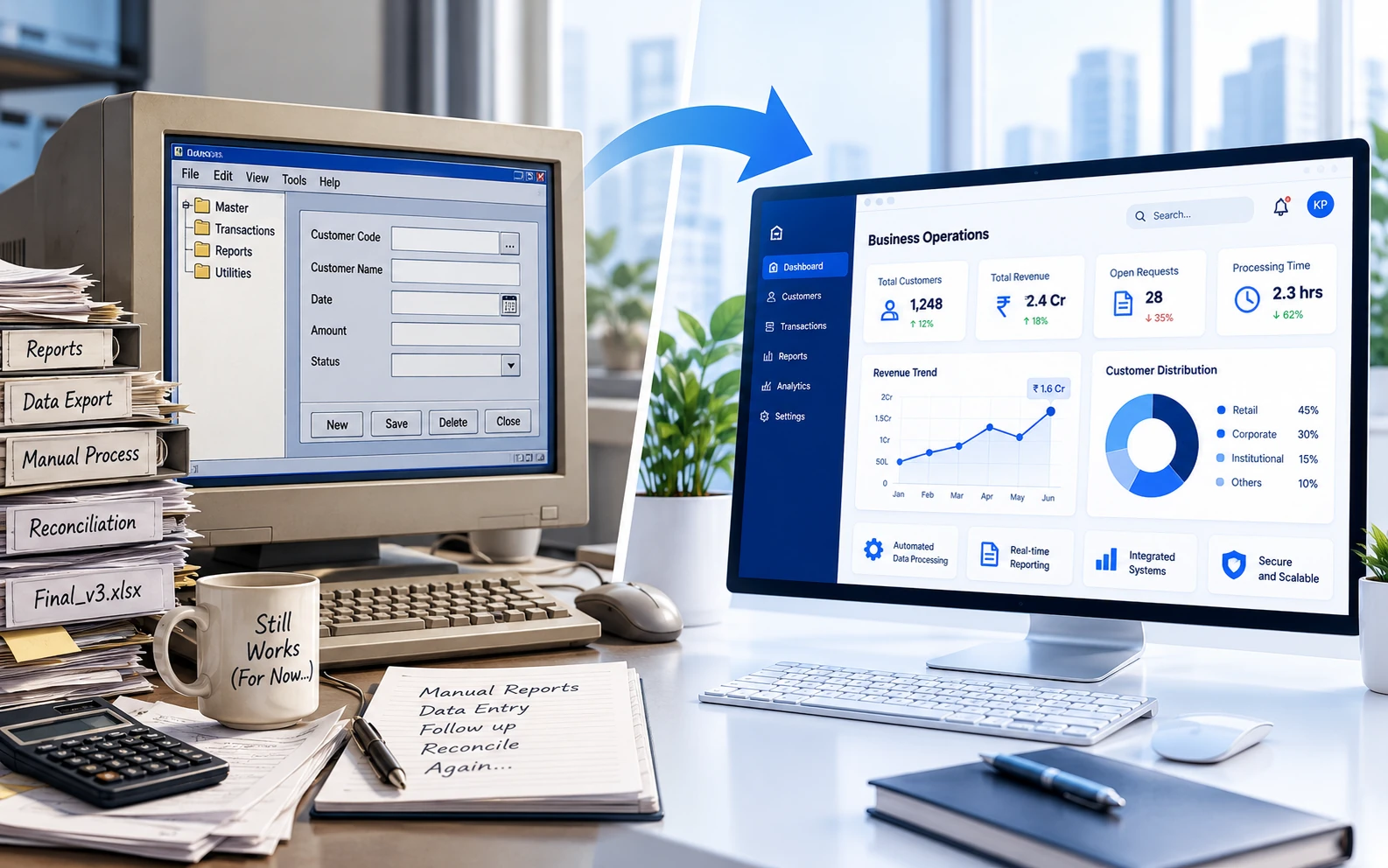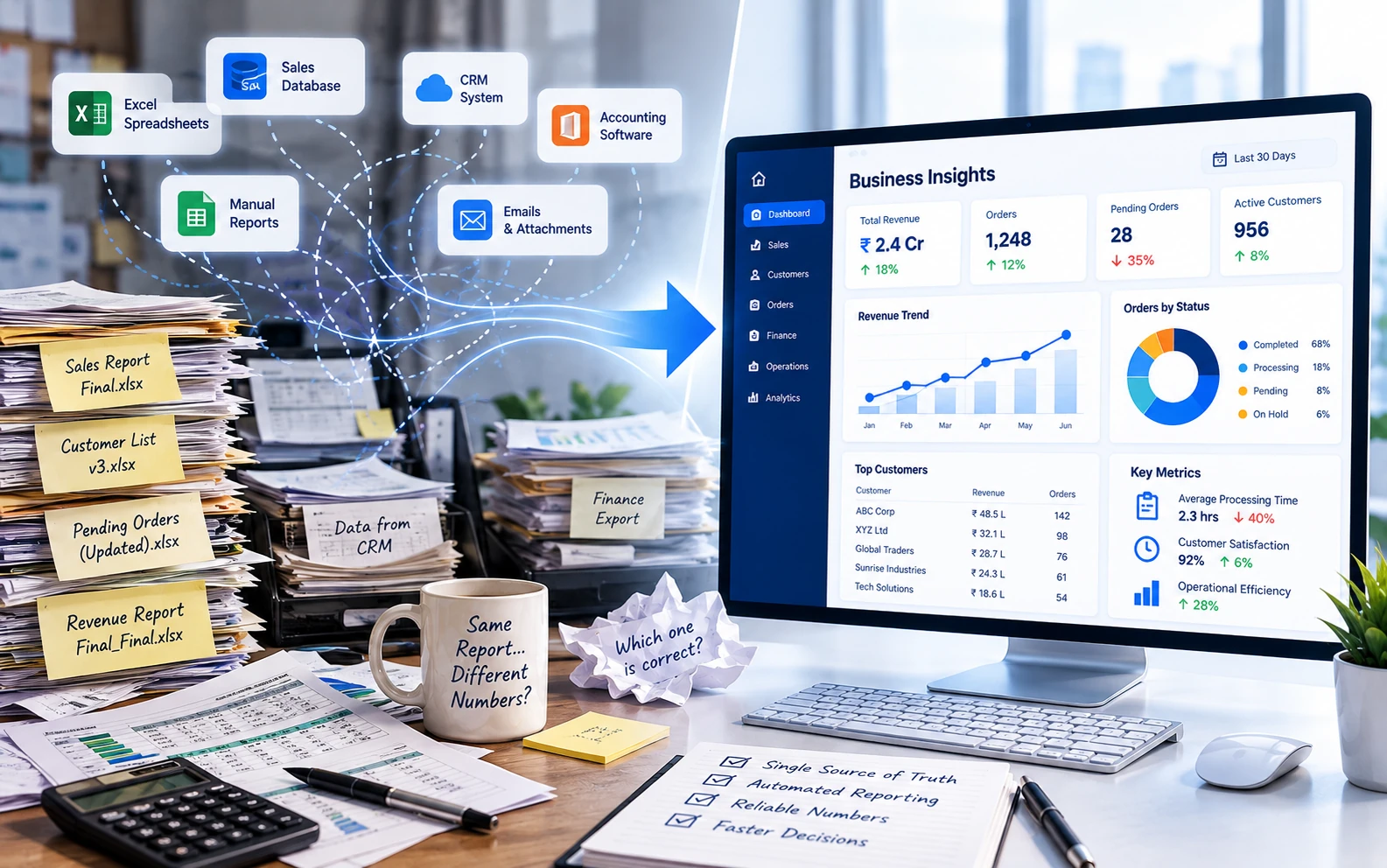
Most businesses today have more data than they know what to do with. Customer records, transactions, invoices, operational reports, spreadsheets, emails, application databases and analytics platforms generate information continuously.
Yet ask a seemingly simple question such as "How many orders are currently pending?" and the answer may involve three departments, four spreadsheets, two database exports and a meeting to decide whose numbers are correct.
Somewhere along the way, collecting data became remarkably easy. Turning that data into useful information did not.
The problem is rarely a complete lack of information. More often, the information already exists but is scattered, inconsistent, difficult to access or not structured in a way that supports decision-making.
Having Data Is Not the Same as Having Information
Data and information are closely related, but they are not interchangeable.
Data consists of individual facts, records and observations. Information is what emerges when those facts are organised, interpreted and placed in the appropriate business context.
Consider a system containing thousands of customer transactions. The records themselves are data.
Knowing which customers are becoming less active, which transactions require attention or where processing delays are increasing is useful information.
The difference matters because businesses do not generally need more rows in a database. They need better answers to operational questions.
The value of business data lies not in how much you collect, but in how effectively you can use it.
Problem 1: Information Is Scattered Across Different Systems
A typical organisation may use separate applications for sales, customer management, finance, operations, inventory and reporting.
Each application performs its own function reasonably well. The difficulty begins when a business question requires information from more than one system.
For example, understanding customer profitability might require combining:
- Sales information from a CRM application.
- Invoices and payments from an accounting system.
- Service costs from an operational database.
- Support activity from a ticketing platform.
- Additional adjustments maintained in spreadsheets.
None of these systems necessarily contains the complete picture.
These disconnected collections of information are commonly called data silos.
Data silos are not always the result of poor planning. Businesses evolve, new applications are introduced and departments develop tools that suit their immediate needs.
Over time, however, the lack of integration can make organisation-wide reporting increasingly difficult.
Problem 2: Different Departments Define the Same Number Differently
Sometimes the problem is not that information is missing. It is that everyone has a different interpretation of it.
Ask the sales department for monthly revenue and you might receive one figure. Ask finance and you might receive another.
Both could be correct according to their respective definitions.
Sales may report confirmed orders. Finance may report invoiced revenue. Another report may consider payments actually received.
The numbers are different because the underlying business definitions are different.
Similar confusion can arise around terms such as:
- Active customer.
- Completed transaction.
- Pending request.
- Processing time.
- Net revenue.
- Outstanding balance.
Without agreed definitions, even technically accurate reports can create confusion.
A dashboard cannot resolve this problem simply by displaying the conflicting figures in more attractive colours.
Problem 3: Excel Has Become the Unofficial Integration Platform
Excel is one of the most useful business tools ever created. It is flexible, familiar and capable of handling an extraordinary range of requirements.
It is also frequently asked to perform jobs for which it was never intended.
In many organisations, spreadsheets act as the bridge between disconnected applications.
Employees export information, clean it, combine it, apply formulas and generate reports.
Then the process repeats the following day, week or month.
Over time, a reporting process might involve files named:
- Monthly_Report.xlsx
- Monthly_Report_Final.xlsx
- Monthly_Report_Final_Updated.xlsx
- Monthly_Report_Final_Updated_v3.xlsx
- Monthly_Report_Final_Updated_v3_USE_THIS.xlsx
At this point, identifying the correct file may require skills normally associated with detective work.
The issue is not Excel itself. The issue is relying on manual spreadsheet operations for repeatable, business-critical processes.
Problem 4: Data Quality Issues Multiply Over Time
Even when information is available in one place, its usefulness depends on its quality.
Common data quality problems include:
- Duplicate customer or transaction records.
- Missing mandatory information.
- Inconsistent date and number formats.
- Different identifiers for the same entity.
- Outdated records.
- Incorrect classifications.
- Manual data-entry errors.
These problems may appear insignificant when examined individually.
But when data from multiple sources is combined, small inconsistencies can produce substantial reporting differences.
For example, one application might identify a customer using a numeric ID, another through an email address and a third through a manually entered customer name.
Unless these records can be matched reliably, producing an accurate consolidated view becomes difficult.
This is why data validation, standardisation and reconciliation are essential parts of reliable business reporting.
Problem 5: Reports Depend on Manual Effort
Many organisations have reporting processes that depend heavily on a few experienced employees.
These individuals know where the information comes from, which files must be downloaded, which adjustments are required and which exceptions need attention.
Their knowledge keeps the process functioning.
Unfortunately, it also means reporting may be delayed whenever those individuals are unavailable.
Manual reporting introduces additional challenges:
- Reports take time to prepare.
- Errors may be difficult to trace.
- Results depend on individual interpretation.
- Historical calculations may be difficult to reproduce.
- Audit trails may be incomplete.
- Reports may already be outdated when delivered.
When an organisation spends more time preparing information than analysing it, there is a strong case for reviewing the reporting process.
Problem 6: More Dashboards Don't Necessarily Mean Better Decisions
Dashboards can be extremely valuable. They make information easier to understand and help decision-makers identify trends, exceptions and operational issues.
But a dashboard is only the visible layer of a much larger information process.
If the underlying data is inconsistent, incomplete or outdated, the dashboard simply presents those problems in a more polished format.
A beautifully designed chart showing incorrect information is still incorrect.
In fact, attractive visualisations can sometimes make unreliable numbers appear more convincing.
Before developing dashboards, organisations should establish reliable data sources, clear definitions and consistent processing rules.
What Does a Better Data and Reporting Process Look Like?
Improving business information does not necessarily require a large data warehouse, an expensive analytics platform or a complete replacement of existing systems.
The right approach depends on the organisation's size, requirements and current technology.
However, several principles apply to most situations.
1. Start with the Questions the Business Needs Answered
Rather than beginning with every available data source, identify the information that decision-makers actually require.
For example:
- Which customer requests are overdue?
- Where are operational delays occurring?
- Which transactions require investigation?
- What is our current financial exposure?
- How is performance changing over time?
Clear questions help determine which data is necessary, how it should be processed and how frequently it needs to be updated.
2. Establish Consistent Business Definitions
Important measures should have agreed definitions.
If a report displays the number of active customers, everyone should understand exactly what qualifies a customer as active.
These definitions should be documented and applied consistently across relevant applications and reports.
This reduces confusion and creates greater confidence in the information being presented.
3. Integrate Data Sources Where Practical
Information from different applications can often be brought together through APIs, scheduled imports, database integrations or purpose-built processing tools.
The objective is not necessarily to move all business data into one enormous database.
It is to make the required information available in a reliable, structured and controlled manner.
Appropriate integration can eliminate repetitive exports and reduce dependence on manual data transfers.
4. Automate Repeatable Processing and Validation
Many reporting activities follow predictable rules.
Files are imported, records are validated, calculations are performed and exceptions are identified.
These are often suitable candidates for conventional software automation.
A structured process can:
- Collect information from approved sources.
- Validate formats and mandatory fields.
- Identify duplicate or inconsistent records.
- Apply standard business calculations.
- Record processing errors and exceptions.
- Generate reports or update dashboards.
- Maintain logs for review and audit purposes.
This improves consistency while allowing employees to focus on exceptions and decisions rather than repetitive preparation work.
5. Make Information Traceable
Reliable reporting should allow users to understand where a number came from.
Ideally, important figures should be traceable to their source records, processing rules and relevant adjustments.
This is particularly valuable in financial, regulated and operationally sensitive environments.
When a figure looks unusual, the organisation should be able to investigate it without reconstructing an entire reporting process manually.
6. Present Information in a Useful Format
Once the underlying information is reliable, the presentation layer becomes important.
Different users require different levels of detail.
Senior management may need a concise overview of performance and exceptions.
Operational teams may require detailed records, filters and the ability to investigate individual items.
A good reporting system should support both, without overwhelming everyone with information they do not need.
A Practical Example: From Manual Reports to Structured Information
Consider a hypothetical business that prepares a daily operational report using information from three different applications.
Each morning, an employee downloads files, combines the information in Excel, applies formulas, checks totals and emails the completed report to management.
The process takes two hours on a normal day. When source files contain unexpected values, it takes longer.
A structured reporting application could automate much of this process.
The application might retrieve the required files, validate their contents, apply consistent calculations, identify exceptions and produce the final report.
Employees would then review the exceptions rather than repeat every processing step.
The business could benefit from faster reporting, more consistent calculations, better traceability and reduced dependence on manual operations.
Importantly, none of this necessarily requires artificial intelligence.
Well-designed conventional software may be entirely sufficient.
Where Can AI Help?
Artificial intelligence can complement structured data processing, particularly when information is unstructured or requires interpretation.
Potential applications include:
- Extracting information from varied document formats.
- Classifying incoming requests or records.
- Summarising operational findings.
- Helping users explore information through natural language.
- Assisting with investigation of unusual patterns.
However, AI should not replace reliable data processing, validation and business rules where predictable behaviour is required.
Asking an AI model to calculate a financial report from inconsistent source data does not solve the underlying data problem.
It merely introduces another component that needs to be checked.
Start Small, but Build on Strong Foundations
Businesses do not need to solve every data problem simultaneously.
A sensible starting point is often one important report or operational process.
Identify the required data sources, document the business rules, improve validation and automate the repetitive steps.
Once that process is reliable, the same principles can be extended to other areas.
This approach provides measurable improvements while avoiding the complexity of attempting to redesign the organisation's entire information architecture at once.
Final Thoughts
Most organisations do not need more data simply for the sake of having more data.
They need information that is accurate, timely, understandable and relevant to the decisions being made.
Achieving that requires more than dashboards and reporting tools.
It requires consistent business definitions, reliable integration, appropriate validation and well-designed processing workflows.
When those foundations are in place, business data becomes considerably more valuable.
And perhaps the clearest sign of progress is when someone asks a simple question in a meeting and receives a reliable answer without three departments opening Excel.