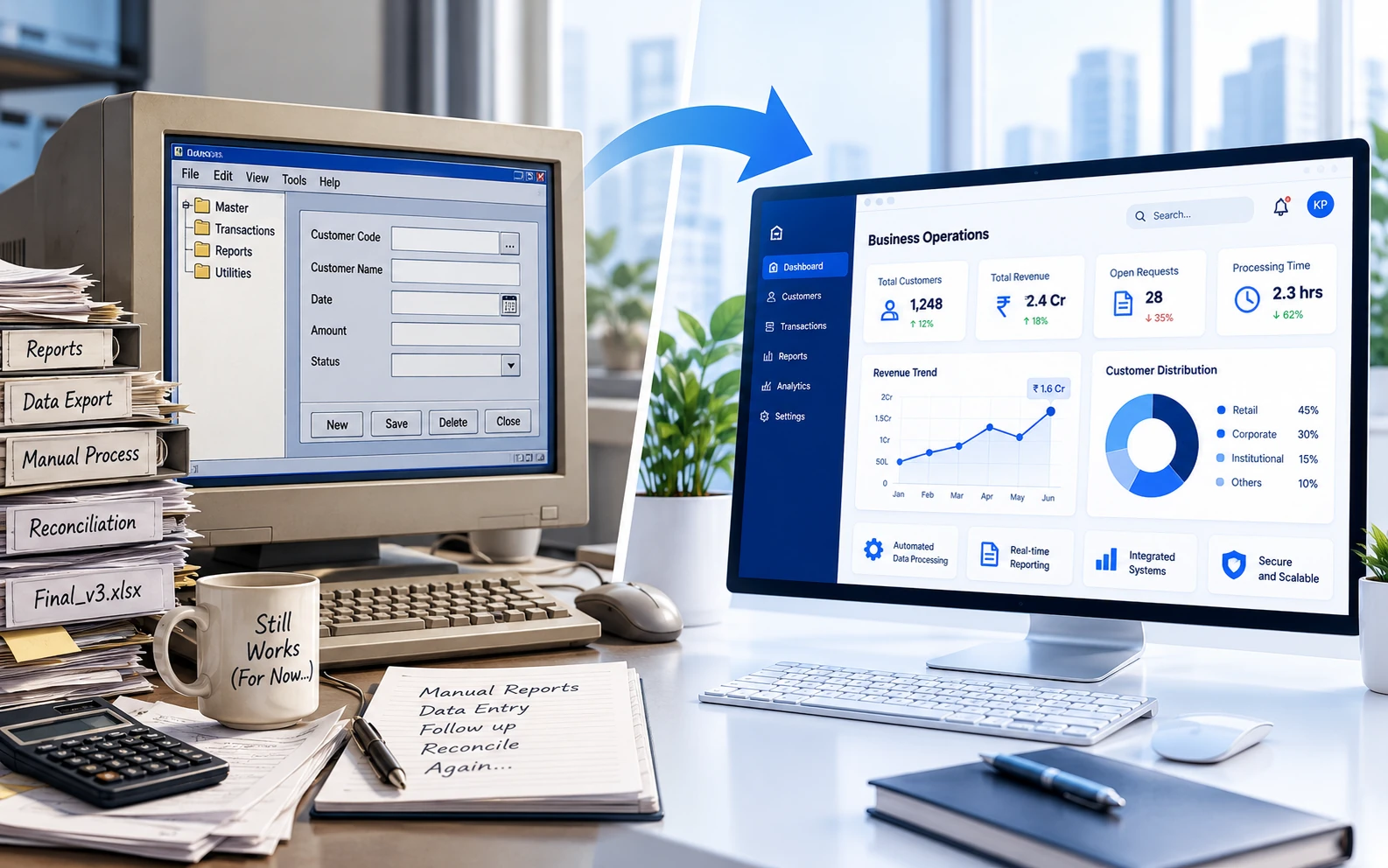
Every organisation has its dependable old systems. The application that has been running for fifteen years. The database that nobody wants to touch. The spreadsheet that started as a temporary solution and somehow became essential to the entire business.
And then there is that one application which works perfectly well, provided nobody changes anything, updates the server, installs a newer browser or asks it to do something slightly different.
These systems are often described as legacy software. But being old does not automatically make software bad.
The real question is whether the system continues to support the business effectively — or whether the business is gradually adapting itself around the limitations of the software.
What Actually Makes Software Legacy?
There is no universal age at which software becomes legacy. A ten-year-old application may be reliable, secure and perfectly suited to its purpose. Meanwhile, a system developed just three years ago may already be difficult to maintain.
Legacy software is better understood in terms of its limitations rather than its age.
Common characteristics include:
- Dependence on outdated or unsupported technologies.
- Difficulty integrating with newer applications.
- Limited documentation or knowledge of the underlying code.
- High effort required for even relatively small changes.
- Dependence on specific individuals to maintain the system.
- Security, compatibility or scalability concerns.
An application does not become a problem simply because it has celebrated a few birthdays. It becomes a problem when its limitations begin affecting business operations.
The Hidden Costs of Keeping Old Systems Running
One reason businesses postpone modernisation is that the existing system appears inexpensive.
After all, it has already been developed and paid for. Why spend money replacing something that still works?
The difficulty is that the true cost of legacy software is not always visible in an IT budget.
1. The Cost of Manual Workarounds
Older applications often lack functionality that the business now requires. Instead of modifying the software, employees develop workarounds.
Information gets exported to Excel. Calculations are performed manually. Reports are combined from multiple sources. Data is copied between applications.
Individually, these activities may seem minor. Collectively, they can consume significant time and introduce opportunities for error.
A system that costs very little to maintain may still be expensive to operate.
2. The Cost of Every Small Change
In a well-structured application, adding a new field, report or business rule may be relatively straightforward.
In a legacy system, the same change might require understanding undocumented code, investigating dependencies and testing functionality that nobody expected to be affected.
A seemingly simple requirement can become a substantial development exercise.
When every modification becomes expensive or risky, businesses often stop improving the software altogether.
3. The Cost of Dependence on Individuals
Some systems rely heavily on one developer, administrator or employee who understands how everything works.
That knowledge may be extremely valuable, but it also creates operational risk.
If the individual becomes unavailable, resolving problems or making changes can become difficult.
Documentation, maintainable code and shared technical knowledge are not merely development conveniences. They are important elements of business continuity.
4. The Cost of Limited Integration
Modern businesses rarely operate through a single application. Customer management, finance, operations, reporting and communication often depend on multiple systems.
When an older application cannot exchange information effectively with other platforms, employees become the integration layer.
Unfortunately, humans are not particularly efficient APIs. They need lunch breaks, occasionally make typing mistakes and generally prefer not to copy the same information into three different systems.
5. The Cost of Security and Compatibility Risks
Unsupported frameworks, operating systems and third-party components may no longer receive important security updates.
Older applications can also become increasingly difficult to run on modern infrastructure.
This does not mean every legacy system is insecure. However, businesses should understand the risks associated with unsupported dependencies, outdated authentication mechanisms and limited maintenance options.
The Warning Signs That Modernisation May Be Necessary
Not every older application requires immediate replacement. However, certain warning signs deserve attention.
- Changes are becoming disproportionately expensive. Small enhancements require substantial development and testing.
- Employees rely heavily on manual workarounds. Important processes happen outside the application.
- Integration is increasingly difficult. The system cannot communicate easily with newer platforms.
- Technical support is becoming uncertain. Frameworks, components or infrastructure are no longer supported.
- Business growth is constrained. The application struggles with increasing data volumes, users or changing requirements.
- Knowledge is concentrated in very few people. Maintenance depends on individuals rather than understandable, documented systems.
If several of these conditions exist, it may be time to evaluate modernisation options.
Modernisation Does Not Always Mean Replacement
This is perhaps the most important point.
When businesses hear the term software modernisation, they often imagine replacing an entire application, migrating years of data and retraining every employee.
That can be expensive, disruptive and sometimes unnecessary.
Modernisation can take several forms.
Option 1: Retain and Maintain
If the application remains reliable, secure, supported and fit for purpose, retaining it may be the sensible decision.
Modernisation should solve a business problem, not simply satisfy a preference for newer technology.
Option 2: Improve Selected Components
Sometimes only particular parts of a system create problems.
A reporting module may need improvement. A manual workflow may benefit from automation. A new integration may eliminate repetitive data entry.
Targeted improvements can deliver meaningful value without rebuilding the entire application.
Option 3: Introduce Modern Interfaces and Integrations
An existing database or business application may continue to perform its core function effectively while newer applications provide improved access and functionality.
For example, a modern web portal or API layer could allow users and connected systems to interact with existing business functionality.
This approach can extend the useful life of established systems while improving accessibility and integration.
Option 4: Gradually Rebuild the Application
Where significant modernisation is required, rebuilding functionality in stages may reduce the risks associated with replacing everything at once.
Individual modules or workflows can be developed, tested and introduced progressively.
The original system continues operating while selected responsibilities move to the new application.
This approach requires careful planning, particularly around data consistency and integration, but can provide greater control over the transition.
Option 5: Complete Replacement
Sometimes a system has reached the point where continued maintenance is no longer practical.
A complete replacement may be justified when the architecture fundamentally limits business requirements, the technology presents unacceptable risks or the cost of incremental improvements exceeds their value.
Even then, replacement should begin with understanding existing processes and business rules rather than immediately recreating every screen.
Don't Rebuild the Problems Along with the Software
A common mistake in modernisation projects is assuming that every existing feature and process must be reproduced exactly.
But older applications often contain workflows created around limitations that no longer exist.
A report may require five approval steps because the original system could not track changes. Employees may maintain duplicate records because different departments could not access the same information.
Rebuilding those processes without questioning them simply gives the organisation a modern application performing outdated work.
Modernising software should also be an opportunity to modernise the process behind it.
Before redevelopment begins, organisations should identify which processes remain necessary, which can be simplified and which can be automated.
How to Evaluate Whether Modernisation Is Worthwhile
The decision should be based on business value, technical risk and long-term cost rather than technology age alone.
A practical assessment should consider:
- Current operating costs: How much employee time is spent on workarounds, duplicate entry and manual processing?
- Maintenance costs: How difficult and expensive is it to support and modify the application?
- Business impact: Are delays, errors or limitations affecting customers or internal operations?
- Technical risk: Are there unsupported components, security concerns or critical dependencies?
- Future requirements: Can the system accommodate expected changes in business operations?
- Transition cost: What would migration, testing, training and implementation involve?
This provides a clearer basis for comparing continued maintenance, selective improvements and full replacement.
A Practical Example
Consider a financial services organisation using an older internal application for processing operational data.
The core calculations remain accurate and reliable. However, employees manually import files, validate information and prepare reports using spreadsheets.
Replacing the entire system may not be necessary.
A better approach could involve automating file processing, introducing validation workflows and developing modern reporting interfaces while retaining the dependable calculation logic.
The result could be a significant operational improvement without the cost and risk of rebuilding every component.
This is a hypothetical example, but it illustrates why understanding the business process matters more than automatically choosing a complete rewrite.
The Best Time to Modernise Is Before There Is a Crisis
Businesses often postpone modernisation because the existing system continues to function.
The decision becomes urgent only when something fails, an essential component becomes unsupported or a critical business requirement cannot be met.
At that point, the organisation may have fewer options, greater time pressure and less flexibility.
A planned assessment allows modernisation to happen in manageable stages, with appropriate testing, budgeting and operational preparation.
Final Thoughts
Legacy software is not automatically a liability. Some older applications continue delivering excellent value for many years.
The challenge is recognising when the cost of maintaining the status quo begins exceeding the cost of improvement.
Modernisation should not be driven by the desire to use the latest framework or replace something simply because it looks old.
It should be driven by clearer processes, lower operational risk, improved efficiency and the ability to support future requirements.
Sometimes that means a complete rebuild. Sometimes it means improving a few critical components. And sometimes it means leaving a perfectly good application alone.
After all, software doesn't need to be young to be useful. It just needs to keep doing its job without making everyone else's job unnecessarily difficult.