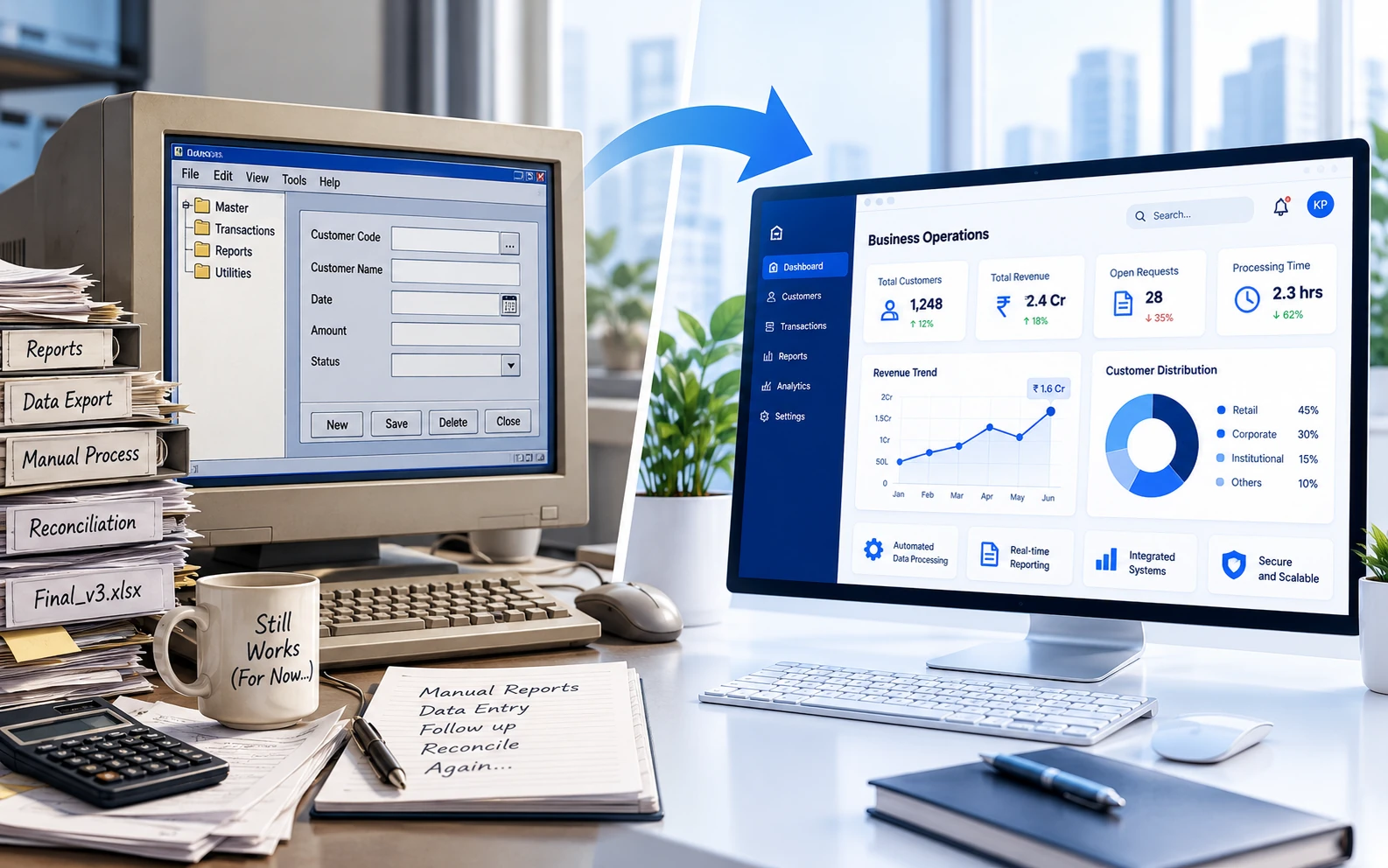
Most businesses begin with off-the-shelf software. It is usually affordable, quick to implement and capable of handling common requirements such as accounting, customer management, project tracking or document storage.
The problem begins when the business evolves but the software does not. Employees start maintaining additional spreadsheets, entering the same information into multiple systems and creating manual processes to work around limitations in the application.
At that point, the organization is no longer simply using software. It is adapting its operations to fit the software.
Custom software may be worth considering when those workarounds begin to affect productivity, accuracy, customer service or the ability to scale. Here are seven signs that your business may have reached that stage.
1. Your Team Relies on Spreadsheets to Fill Software Gaps
Spreadsheets are flexible and useful, but they often become a warning sign when they are used as an unofficial extension of an important business system.
For example, your main application may store customer orders while a spreadsheet is used to track approvals, delivery dates, exceptions or payment follow-ups. Another spreadsheet may then be created to produce the report that management actually needs.
This creates several risks:
- Information can quickly become outdated.
- Multiple versions of the same spreadsheet may exist.
- Manual formulas and data entry can introduce errors.
- Access to sensitive information may be difficult to control.
- Reporting depends on one or two employees who understand the file.
A custom application can bring these activities into a structured system where information is validated, secured and updated in real time.
2. Employees Enter the Same Information More Than Once
Duplicate data entry is one of the clearest signs of disconnected systems. An employee may receive information through a website form, enter it into a customer management system and then enter it again into an accounting, production or reporting application.
Repeating the same task consumes time and increases the chance of inconsistencies. A customer name may be entered differently in two systems, an updated address may only be changed in one location, or an order value may be typed incorrectly during the transfer.
Custom software does not necessarily mean replacing every existing application. It can act as a central workflow layer that connects those systems through APIs, scheduled integrations or controlled data imports.
3. Your Business Process Has Too Many Manual Handoffs
Many operational delays occur between systems rather than within them. A request may be submitted by one employee, reviewed through email by a manager, entered into another application by an administrator and then forwarded to a different department for completion.
Each handoff introduces the possibility of delay, miscommunication or lost information.
A custom workflow application can manage the entire process from one place. It can automatically assign tasks, apply approval rules, send notifications, maintain an audit history and show the current status of every request.
This is particularly useful for processes such as:
- Purchase and expense approvals
- Customer onboarding
- Service requests
- Document reviews
- Quality inspections
- Employee onboarding
- Production and fulfilment tracking
4. Your Existing Software Cannot Match Your Business Rules
Standard applications are designed to support common processes. They may offer configuration options, but there is usually a limit to how closely they can match a company's specific rules.
Your organization may have unique pricing structures, approval levels, scheduling requirements, service commitments or compliance checks. When the software cannot represent these rules, employees must remember and enforce them manually.
That creates inconsistency. Two employees may handle the same situation in different ways, and management may have no reliable record of why a particular decision was made.
Custom software allows business rules to be built directly into the application. Required checks can happen automatically, while exceptions can be routed to the appropriate person for review.
5. Reporting Requires Significant Manual Preparation
Management reports should help teams make decisions. They should not require several days of collecting, reconciling and formatting information.
If employees regularly export data from different systems, combine it in spreadsheets and manually correct inconsistencies before a report can be produced, the underlying information is too fragmented.
A custom reporting solution can combine relevant data into dashboards and reports designed around the metrics your organization actually uses. Depending on the requirements, information can be updated in real time or refreshed on a defined schedule.
This gives decision-makers faster access to consistent information and reduces the administrative effort required to prepare it.
6. Growth Is Increasing Administrative Work Faster Than Revenue
A scalable process should handle increased volume without requiring a proportional increase in manual effort.
If doubling the number of customers, orders or service requests also means doubling the administrative team, the current process may not be scalable. Employees may be spending too much time coordinating work, copying information and resolving avoidable errors.
Custom software can automate repeatable activities and provide a more structured operational process. This allows the business to handle higher volumes without creating the same level of additional overhead.
7. Customers Are Affected by Internal System Limitations
Internal inefficiencies eventually become customer-facing problems. Customers may experience slow quotations, delayed updates, inconsistent answers or repeated requests for information they have already provided.
They may also expect digital capabilities that the current systems cannot provide, such as:
- Online account access
- Order or service-status tracking
- Self-service document submission
- Automated notifications
- Online approvals and payments
- Personalized reporting
A custom web application or customer portal can connect customers directly to the appropriate business processes while controlling what information they can view and update.
Custom Software Does Not Always Mean Replacing Everything
One common misconception is that adopting custom software requires the organization to discard all of its existing systems.
In many cases, the better approach is to retain applications that already perform their core functions well and build a custom solution around them. The new application may connect systems, automate workflows, centralize reporting or provide a better interface for employees and customers.
This reduces disruption and allows the organization to focus investment on the areas where existing software creates the greatest operational limitations.
Questions to Ask Before Building Custom Software
Identifying software limitations is only the first step. Before beginning a custom development project, the organization should clearly understand the business problem it intends to solve.
Useful questions include:
- Which processes currently consume the most manual effort?
- Where do errors or delays occur most frequently?
- Which systems need to exchange information?
- Who will use the application and what does each user need?
- Which reports or performance indicators are required?
- What security and access controls must be implemented?
- What measurable improvement should the solution produce?
These questions help separate essential requirements from features that may be useful but are not necessary for the first version.
Start with the Highest-Value Problem
A custom software initiative does not need to begin as a large, organization-wide transformation.
A practical approach is to identify one high-value process, understand its users and dependencies, and develop an initial solution around that process. The application can then be expanded as the business validates the results and identifies additional opportunities.
This phased approach reduces risk, provides value sooner and allows the software to evolve based on real operational feedback.
Conclusion
Off-the-shelf software remains the right choice for many standard business requirements. Custom software becomes valuable when standard applications force employees to rely on repetitive work, disconnected data and complex workarounds.
The decision should not be based simply on whether a custom application would be convenient. It should be based on whether it can produce a measurable improvement in efficiency, accuracy, visibility, scalability or customer experience.
If your organization recognizes several of the signs described above, the next step is to document the current process and evaluate where a focused custom solution could deliver the greatest value.